Skeleton Screen Optimization
Solution Snapshot
Improved the loading experience for ACC Accreditation Services performance-tracking tools by introducing a system-aligned skeleton screen and collaborating with engineering to address backend performance issues. The new loading state provided immediate visual feedback during long load times while backend caching improvements reduced actual load time for repeat visits.
Outcomes
- Reduced perceived wait time by providing immediate visual feedback during tool initialization
- Improved repeat load performance through backend caching improvements
- Reduced user confusion and unnecessary support requests
- Restored confidence in system responsiveness for healthcare users
Role
Product Analyst
Organization
American College of Cardiology Accreditation Services
Timeline
6 weeks (research, design, and requirements)
Tools
Adobe XD
My Role & Responsibilities
- Conducted load-time testing across browsers, networks, and user groups
- Analyzed user behavior during long loading states
- Designed skeleton screen UI aligned with tool layout
- Defined loading-state behavior and transition requirements
- Partnered with engineering to align UI behavior with backend performance improvements
Background
ACC Accreditation Services provides digital performance-tracking tools used by hospitals and cardiovascular service lines to monitor clinical outcomes and manage accreditation workflows.
These tools are used frequently by both internal reviewers and external healthcare organizations. Reliable system performance is critical because users depend on these tools to complete accreditation reporting and quality improvement activities.
However, many tools required 25–40 seconds to load, creating significant usability issues.
Because the interface provided no loading feedback, users often assumed the system had frozen or crashed.
Problem Statement
The platform lacked a clear loading state during long data retrieval times.
Without visual feedback, users frequently believed the system had failed and would refresh the page, navigate away, or submit support requests.
Improving the loading experience required addressing both:
- Perceived performance through UI feedback
- Actual performance through backend optimization
Before vs After
Legacy Experience
No Loading Feedback During Tool Initialization
Users experienced a blank or static screen while the system retrieved large datasets.
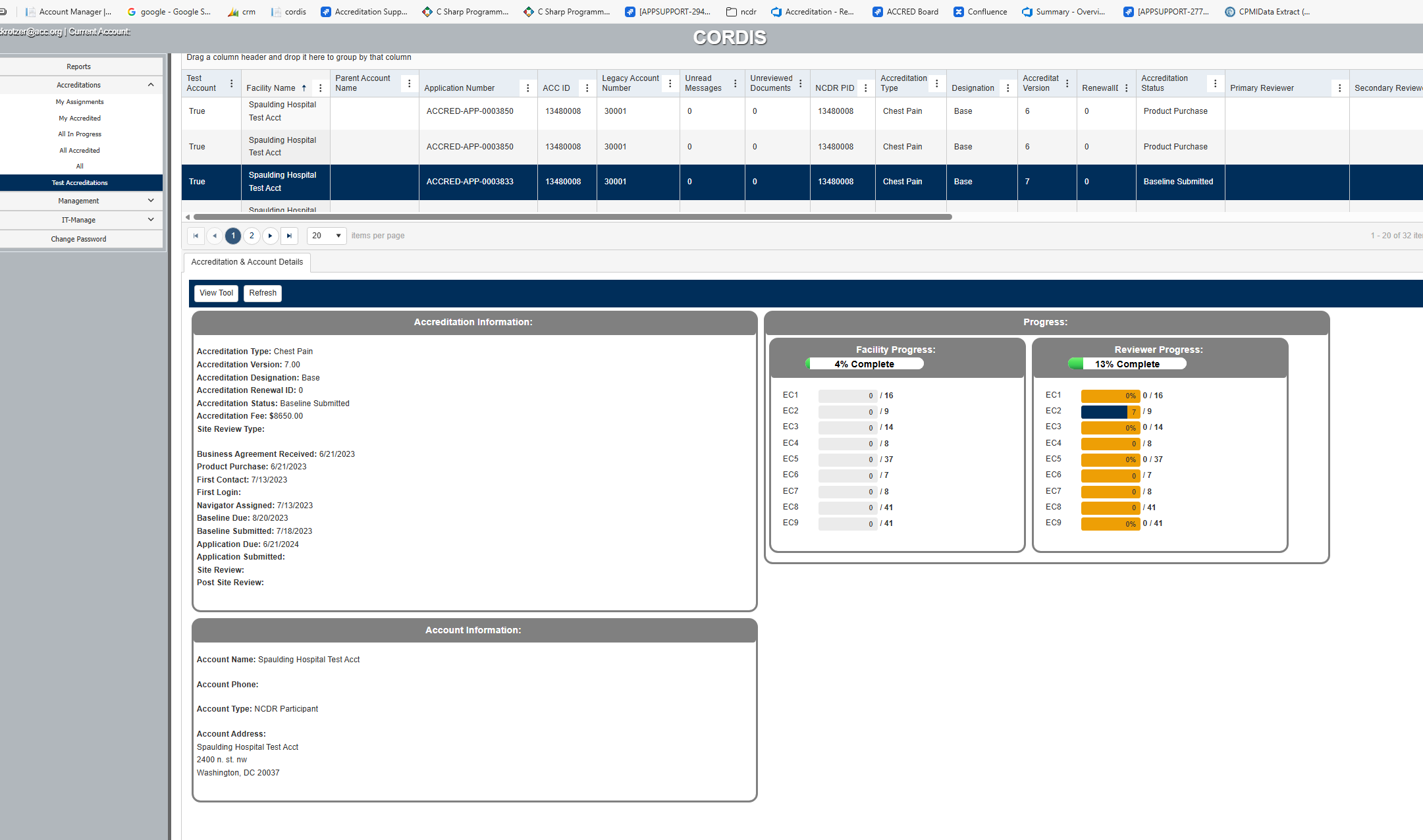
- No loading indicator or progress feedback
- Users assumed system failure during long loads
- Frequent page refresh attempts
- Increased support requests related to perceived outages
Redesigned Experience
Skeleton Screen Loading State
A layout-aligned skeleton screen appears immediately when the tool begins loading, providing visual feedback that data is being retrieved.

Final Tool Interface After Load
Content transitions seamlessly from skeleton state to the fully loaded interface.
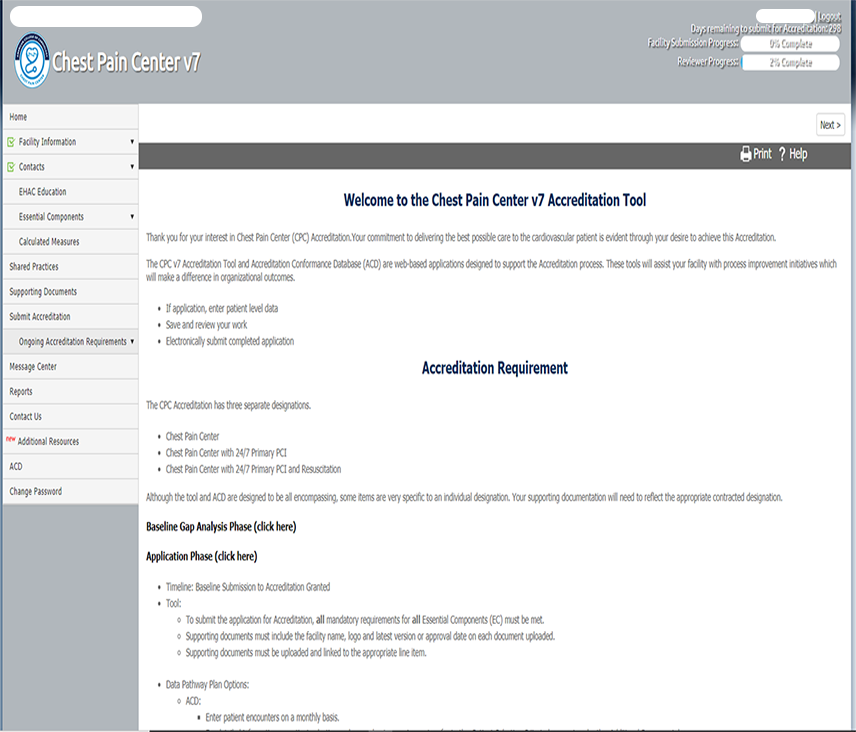
- Immediate visual feedback during load
- Layout mirrors the final interface
- Smooth transition to fully loaded content
- Reduced user uncertainty during long load times
Goals
- Provide immediate visual feedback during long load times
- Reduce confusion and perceived system failure
- Support backend performance improvements with a complementary UI
- Improve user trust and workflow continuity
Discovery
Load-Time Testing
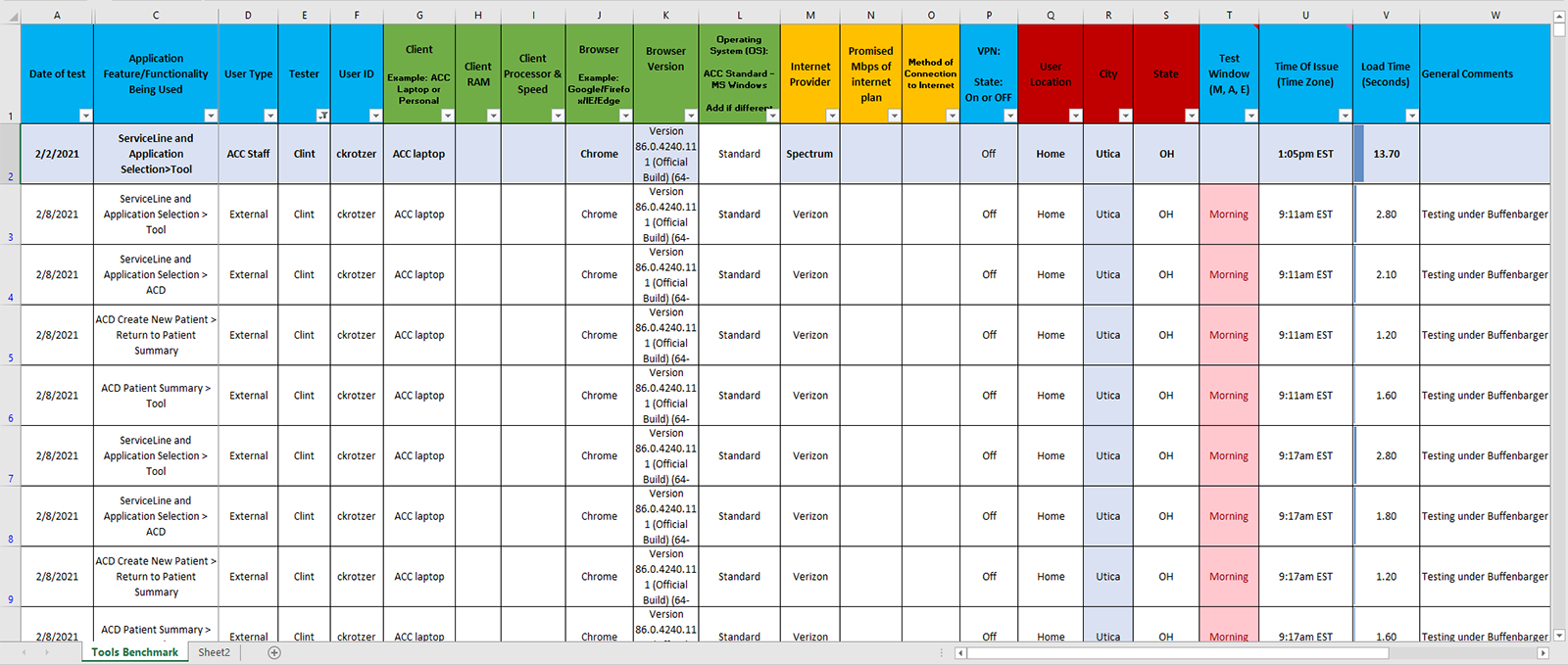
I conducted structured load-time testing across internal users and external hospital clients using multiple browsers and network conditions.
Testing consistently showed 25–40 second cold load times across several accreditation tools.
Behavioral Observations
Users demonstrated consistent behavior during long loads:
- Refreshing the page prematurely
- Navigating away before the tool loaded
- Submitting support requests
- Assuming the system had failed
Key Insights
Several patterns emerged from the analysis:
- Long load times without feedback feel like system failure
- Users need immediate confirmation that the system is actively loading
- Backend inefficiencies were amplifying UX issues
- A UI solution alone would not fully resolve the problem
Constraints & Tradeoffs
The redesign needed to improve the user experience without requiring major changes to existing tool architecture.
Because backend data processing could not be eliminated immediately, the solution focused on improving perceived performance through UI feedback while engineering addressed the root performance issues.
Solution
Skeleton Screen Interface
The redesigned loading experience introduced a skeleton screen that mirrors the layout of the final tool interface.
This approach provides immediate visual feedback while data is being retrieved.
Loading-State Behavior
The interface follows a predictable loading sequence:
- Skeleton screen appears immediately when the tool initializes
- Skeleton persists while data is retrieved
- Content transitions into the fully loaded interface once data is available
This confirms to users that the system is actively loading and has not stalled.
Engineering Collaboration
In parallel with the UI improvements, engineering identified the root performance issue.
Each tool executed redundant database queries on every load.
Engineering implemented:
- Query caching
- Memory optimization
- Reduced redundant database calls
These improvements significantly reduced repeat load times.
Results
Performance Improvements
- Improved repeat load performance through caching
- Reduced backend query overhead
User Experience Improvements
- Skeleton screen eliminated uncertainty during long loads
- Reduced perceived wait time
- Improved workflow continuity for hospital users
Business Impact
- Reduced support requests related to loading issues
- Restored user confidence in system reliability
- Improved overall usability feedback from hospitals
Future Opportunities
- Expand skeleton screens across additional modules
- Introduce subtle loading animations for clarity
- A/B test alternative loading indicators
- Monitor load-state analytics for continued optimization
Skills Demonstrated
- Product and UX strategy under technical constraints
- Performance testing and behavioral analysis
- Component-driven interface design
- Cross-functional collaboration with engineering
- Improving perceived and actual system performance